Generate
- GUID
- CPF and CNPJ
- Lorem Ipsum
- Random strings
Search your clipboard history, paste back into any application, and access useful developer tools without leaving your workflow.
TanoDev Clip listens for copied text and stores it locally. No configuration is required to begin capturing text.
Use the default global shortcut to open your clipboard history from anywhere.
Search by content, title, detected type, source application, or source window.
Double-click a clip to close TanoDev Clip, restore the previous application, and paste the selected content.
Configurable system-wide shortcut to summon your clipboard instantly.
Stores previous clips with content, title, source application, and timestamp.
Pin frequently used clips so they always appear at the top of your list.
Filter instantly by content, type, or origin window.
Detects developer content like JSON, SQL, URLs, JWTs, GUIDs, and Emails.
Filter your history to only show specific data types, like SQL queries.
Hashes content to prevent duplicate entries while updating last-used timestamps.
Double-click a clip to close the app and paste directly into your active window.
Runs quietly in the background from your Windows system tray.
All history is persisted to a local SQLite database that survives restarts.
Run focused developer utilities without opening another website. When you copy a result, TanoDev Clip saves it to clipboard history and places it on the system clipboard.
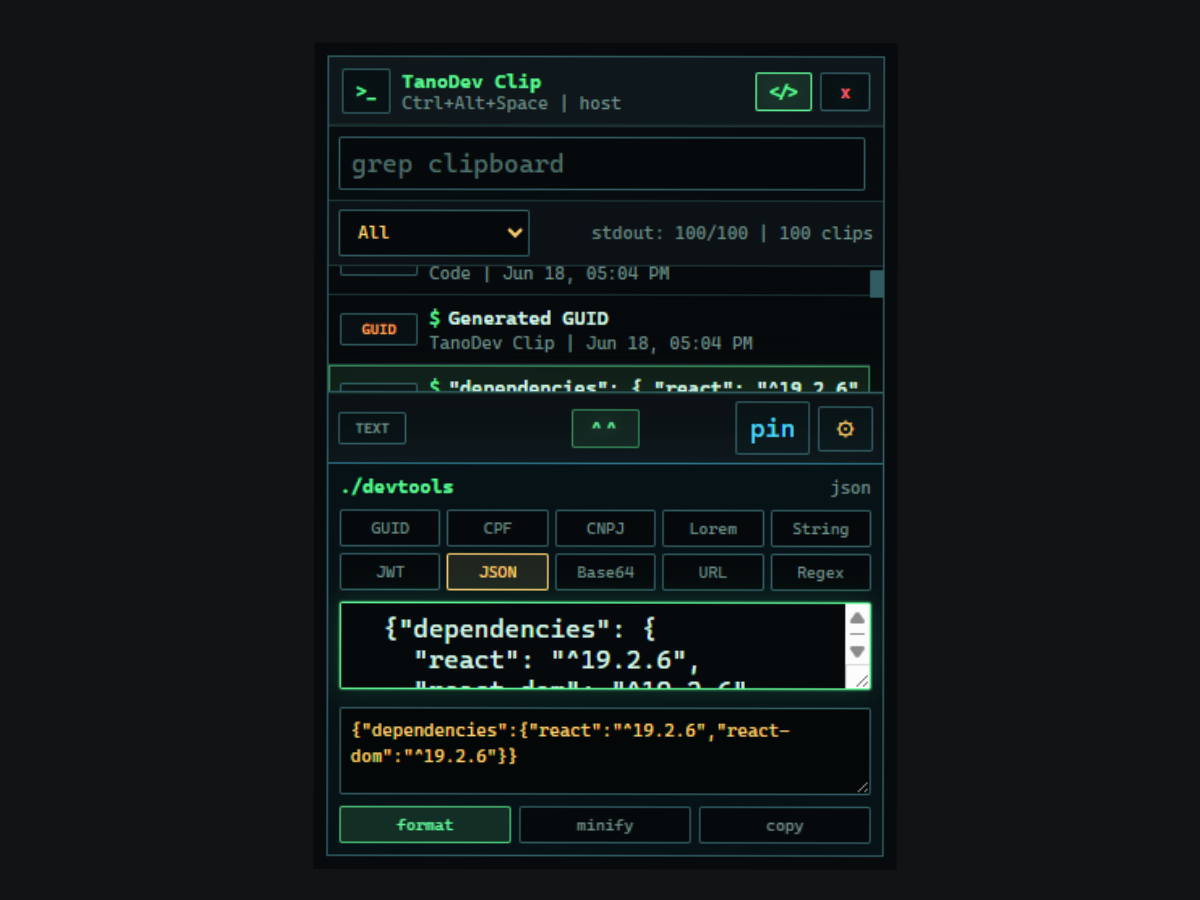
regex.engine = ".NET" | jwt.mode = "decode only"
tanodev-clip --privacy
Clipboard history and application settings are stored locally. TanoDev Clip does not require an account, cloud synchronization, or a remote clipboard database.
ready_to_install=true
Install TanoDev Clip for Windows or inspect the latest release before downloading.
View source on GitHub (opens in a new tab)